

Can ChatGPT, Gemini or Sora Do the AI Zombie Trend?
Gemini can make a short video from your photos. ChatGPT can make the stills but not the video, and Sora has closed. Here is what each tool can and cannot do for the AI zombie trend, with a source for every figure.
Make the finished video for $6.90The fastest way to make your AI zombie trend video: add two photos and get a 15-second video.
Make 1 video for $6.90Key facts
- OpenAI ended the Sora web and app on 26 April 2026, and said its API would end on 24 September 2026 (OpenAI Help).
- ChatGPT Images creates and edits still images on every ChatGPT plan; OpenAI's help article for it describes no video (OpenAI Help).
- Gemini Omni makes 10-second videos with native audio, from up to 5 photos (Google).
- Since 27 August 2026 a Gemini video can be extended in 10-second steps up to 40 seconds in total (Google).
- In Google Flow, ingredients-to-video with Veo 3.1 Lite or Fast is limited to 8-second videos; Gemini Omni Flash 1.1 offers 4, 6, 8 or 10 seconds (Google Flow Help).
- ByteDance launched Seedance on 12 February 2026 and says it makes 15-second audio-video clips (ByteDance Seed).
- Our tests: we checked 7 Zombie Hug sample clips on 15 October 2026. Each is 720x1280, 15.04 seconds, with a sound track (see them).
The short answer
Gemini can: it makes a 10-second video with sound from up to 5 photos, and you extend it clip by clip. ChatGPT cannot make the video, only the stills and prompts. Sora is closed. For a finished 15-second zombie hug from two photos, Zombie Hug does it in one step.
What the AI zombie trend asks of a tool
The trend is a short vertical video. One person has turned into a zombie, and the other recognizes them. Mid-air, the clip cuts to a warm memory of the same two people. The earliest large post we found is an Instagram Reel from 26 September 2026 that credits the original idea to @techmaf. A Russian tutorial on Habr from 30 September describes the same shape as three scenes (threat, choice and warmth). Its template offers 9:16 with 5, 20 or 30 seconds.
So a tool has to do four things. It has to keep two real faces recognizable across both parts. It has to give you a vertical clip. It needs sound, because the piano note on the cut matters. And it has to run long enough for the run, the leap and the memory: our own story takes 15 seconds. The full trend guide explains the four beats.
Can ChatGPT do the AI zombie trend?
Not the video. OpenAI's help article says ChatGPT Images lets you create new images and edit existing images in ChatGPT. You can upload an existing image and describe the changes you want. It lists ChatGPT Images as available on all tiers. The article does not mention video, and we found no OpenAI page that announces video generation inside ChatGPT as of 15 October 2026.
ChatGPT is still useful for the trend, in two ways. It can write the prompt for a video tool. It can also make the still first frame of two people in the cold scene, which you then hand to a video tool. The trend guide shows where that still goes. But the moving, 15-second clip has to come from another tool.
Can Sora do the AI zombie trend?
No, because Sora is closed. OpenAI's help center says the Sora web and app experiences were discontinued on April 26, 2026, and the Sora API will be discontinued on September 24, 2026. The company announced the decision on 24 March 2026, when Engadget reported that OpenAI had "decided to discontinue Sora in the consumer app and API".
If a guide tells you to start the zombie hug in Sora, check its date: the app it describes no longer exists.
Can Gemini do the AI zombie trend?
Yes, in short clips. Google's Gemini Omni page says you can create 10 second videos with native audio generation and turn up to 5 photos into a video. Google's launch post of 19 May 2026 says Omni Flash is rolling out to all Google AI Plus, Pro and Ultra subscribers globally. You need a paid Google AI plan, and the page says you must be 18 or older. Google says every video made in the Gemini app carries an invisible SynthID watermark.
Two photos fit in the 5-photo limit, so the two-photo setup of the trend works on paper. Three limits matter for this trend:
- Length. A new generation is 10 seconds at most. Google's August update lets you extend a video in 10-second increments up to a total of 40 seconds, so you build the zombie hug in steps.
- Shape. The help page says you choose the aspect ratio before the video is created. The default for text prompts is landscape, and an uploaded image or video sets the ratio to match it, so pick 9:16 or upload portrait photos.
- Flow. In Google Flow, ingredients-to-video with Veo 3.1 Lite or Fast is limited to 8-second videos, while Gemini Omni Flash 1.1 offers 4, 6, 8 or 10 seconds. Either way, you join the clips yourself.
We have not tested how well Gemini keeps two faces across the cold part and the memory, so we make no claim about it. Try a short clip with your own photos before you plan a whole video.
ChatGPT, Sora, Gemini and Seedance side by side
Every figure in this table is quoted and linked in the sections above and in the Sources list.
| Tool | Makes video? | Length | Sound | Photo inputs | Notes |
|---|---|---|---|---|---|
| ChatGPT Images | No, still images | Not applicable | Not applicable | Upload an image to edit it | On all ChatGPT plans |
| Sora | Closed | Not applicable | Not applicable | Not applicable | Web and app ended 26 April 2026; API due to end 24 September 2026 |
| Gemini Omni | Yes | 10 seconds, extendable to 40 | Native audio | Up to 5 photos | Paid Google AI plan, 18+ |
| Seedance (ByteDance) | Yes | 15 seconds | Dual-channel audio | Up to 9 images | Launched 12 February 2026 |
| Zombie Hug | Yes, one fixed story | 15 seconds | Yes | 2 photos | 9:16, 720p, $6.90 per video |
Checked on 2026-10-15.
Seedance: the model behind Zombie Hug
Zombie Hug uses Seedance by ByteDance. ByteDance's launch post of 12 February 2026 says users can input up to 9 images plus natural language instructions and that the model supports 15-second high-quality multi-shot audio-video output with dual-channel audio. That is why our video is 15 seconds long. The AI models page has the details of our setup.
What the rules say about photos of real people
Every tool has rules for photos of real people, and the zombie hug uses two. The rules we found in official pages:
- Gemini. Google's help page says only upload photos you have the right to use, and that the feature is not available to users under 18.
- Seedance. ByteDance says that to use real human portraits as subject references, identity verification or prior legal authorization is required.
- Zombie Hug. Both people must be 18 or older and both must agree before you pay. We do not accept photos of children or famous people.
When you post the result, label it. TikTok's synthetic media policy says creators must label AI-generated content that includes realistic images, audio or video. Meta has renamed its "Made with AI" label to "AI info" across its apps. It adds the label when people disclose that they are uploading AI-generated content.
Where Zombie Hug fits
Use Gemini or Google Flow when you want to direct the video yourself: your own story, your own prompts, your own length. Use Zombie Hug when you want the finished zombie hug from two photos without prompts or editing.
What we measured ourselves:
- Spec. We checked our 7 sample clips with a media tool on 15 October 2026. Each is 720x1280 (vertical 9:16), 15.04 seconds long, with a sound track. See them on the examples page.
- Speed. On 15 October 2026 we timed two videos. They took 5 minutes 11 seconds and 4 minutes 39 seconds to make. Most videos are ready in 5 to 10 minutes.
- Price. One video is $6.90. A failed video costs nothing, and every video includes 1 free remake within 7 days.
The cut in mid-air and the warm memory are built in, and you choose who turns and one of 3 scenes (ruined street, pumpkin patch or marigold field). You cannot write a prompt, and that is the trade-off.
Make it in 5 to 10 minutes
- 1
Upload one photo of each person
One face per photo, clear light, both people 18 or older.
- 2
Choose who turns and a scene
One of 3: ruined street, pumpkin patch or marigold field. You can swap the two photos with one tap.
- 3
Confirm and pay once
Both people agree. Sign in with Google or an email code, then pay by card.
- 4
Get a private link by email
Usually in 5 to 10 minutes.
Pricing
Packs or a monthly plan. Pack credits never expire. Pricing details
1 video
$6.90
$6.90 per video
One story from two photos. One free remake within 7 days.
3 videos
Save $7.80$12.90
$4.30 per video
Use them with any photos. They do not expire.
10 videos
Save $34.10$34.90
$3.49 per video
Use them with any photos. They do not expire.
Sources
We opened each page on 15 October 2026 and read the fact we quote. The OpenAI help pages block automated requests, so we read those two through archived copies from 29 September and 6 October 2026. Links to posts and blogs carry nofollow; links to official pages and publishers do not.
- What to know about the Sora discontinuationOpenAI Help Center. Checked October 15, 2026.
- OpenAI is shutting down its Sora video generation appEngadget, March 24, 2026. Checked October 15, 2026.
- Images in ChatGPTOpenAI Help Center. Checked October 15, 2026.
- Gemini Omni: Speak it. See it. Share it.Google. Checked October 15, 2026.
- Introducing Gemini OmniGoogle, May 19, 2026. Checked October 15, 2026.
- Gemini Omni 1.1 Flash lets you build with more controlGoogle, August 27, 2026. Checked October 15, 2026.
- Generate videos with Gemini AppsGoogle Gemini Apps Help. Checked October 15, 2026.
- Learn about Google Flow models & supported featuresGoogle Flow Help. Checked October 15, 2026.
- Official launch of SeedanceByteDance Seed, February 12, 2026. Checked October 15, 2026.
- Instagram Reel by @damienstrakerInstagram, September 26, 2026. Checked October 15, 2026.
- Zombie AI trend: how to make a zombie hug video from two photos in 2 minutes (title translated)Habr, Oplatym blog (in Russian), September 30, 2026. Checked October 15, 2026.
- New labels for disclosing AI-generated contentTikTok Newsroom, September 19, 2023. Checked October 15, 2026.
- Meta's approach to labeling AI-generated contentMeta, April 5, 2024. Checked October 15, 2026.
Questions
Can ChatGPT make the AI zombie trend video?
No, not the video. ChatGPT Images creates and edits still images, and OpenAI describes no video in that help article. It can write your prompt and make a still first frame. You need another tool for the video.
Is Sora still available for the zombie trend?
No. OpenAI says the Sora web and app experiences ended on 26 April 2026, and the Sora API was due to end on 24 September 2026.
Can Gemini make the AI zombie trend video?
Yes, in short clips. Gemini Omni makes 10-second videos with native audio from up to 5 photos. You can extend a video up to 40 seconds in 10-second steps. It needs a paid Google AI plan and an adult account.
Can Gemini make a vertical 9:16 video?
Yes. Google says you choose the aspect ratio before the video is created, and an uploaded image or video sets the ratio to match it. The default for text prompts is landscape.
Which tool should I use for the zombie hug?
Use Gemini or Google Flow to direct every shot yourself. Use Zombie Hug to get a finished 15-second zombie hug from two photos, with no prompt and no editing.
Can I use photos of other people?
Only with their permission. Google asks for photos you have the right to use, and ByteDance asks for identity verification or legal authorization for real human portraits. Zombie Hug needs both people to be 18 or older and to agree.
How long does Zombie Hug take?
Most videos are ready in 5 to 10 minutes. Two videos we timed on 15 October 2026 took 5 minutes 11 seconds and 4 minutes 39 seconds.
More pages
- The last hug zombie video: they turned, and they still know you
The last hug zombie video is the AI zombie trend where one person has turned and the other still holds them. Make yours from two photos: 15 s, with sound.
- Zombie Love Story Prompt: Copy-Paste AI Prompts and How to Fix Them
Free zombie love story prompts to copy: our tested 15-second prompt, a two-clip version for Kling and CapCut, and fixes for mixed-up people and wrong cuts.
- The zombie match cut, explained
What the zombie match cut is, the three ways to make the cut, and how to edit it yourself. Or upload two photos and get the finished 15-second video.
- Zombie Couple Video: Make Yours From Two Photos
Make the zombie couple video from two photos: one of you turned, the other lowers the gun, then a mid-air cut to a warm memory. 15 s, with sound.
More templates

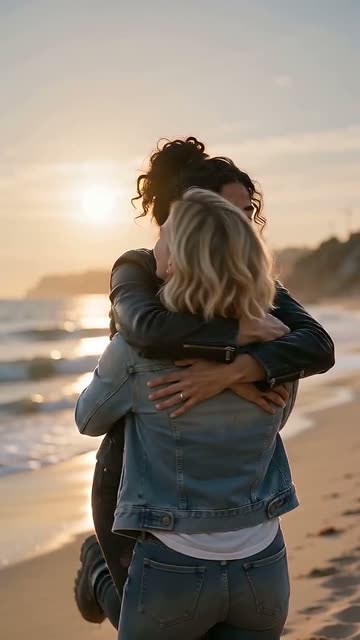

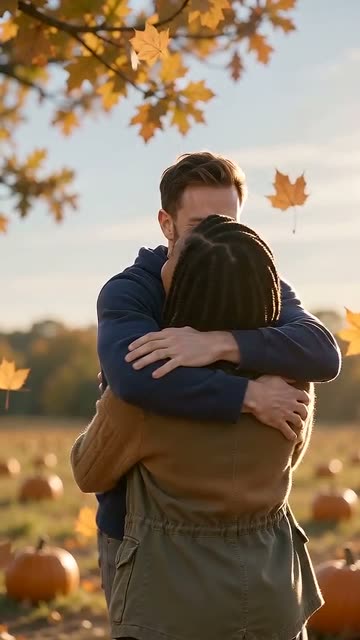
Two photos, one 15-second video.
Make 1 video for $6.90