

The zombie match cut, explained
In the AI zombie trend, the best moment is not the zombie. It is the cut: one frame you are in a cold, empty place, the next you are in warm sunlight, and the hug never stops. That edit is a match cut. Here is how it works, how to make it yourself, and how to get it done from two photos.
Get the finished video for $6.90The fastest way: add two photos and get a 15-second video.
Make 1 video for $6.90The cut in our samples
Each sample cuts in mid-air, about two-thirds of the way in.
 Turns
Turns Knows them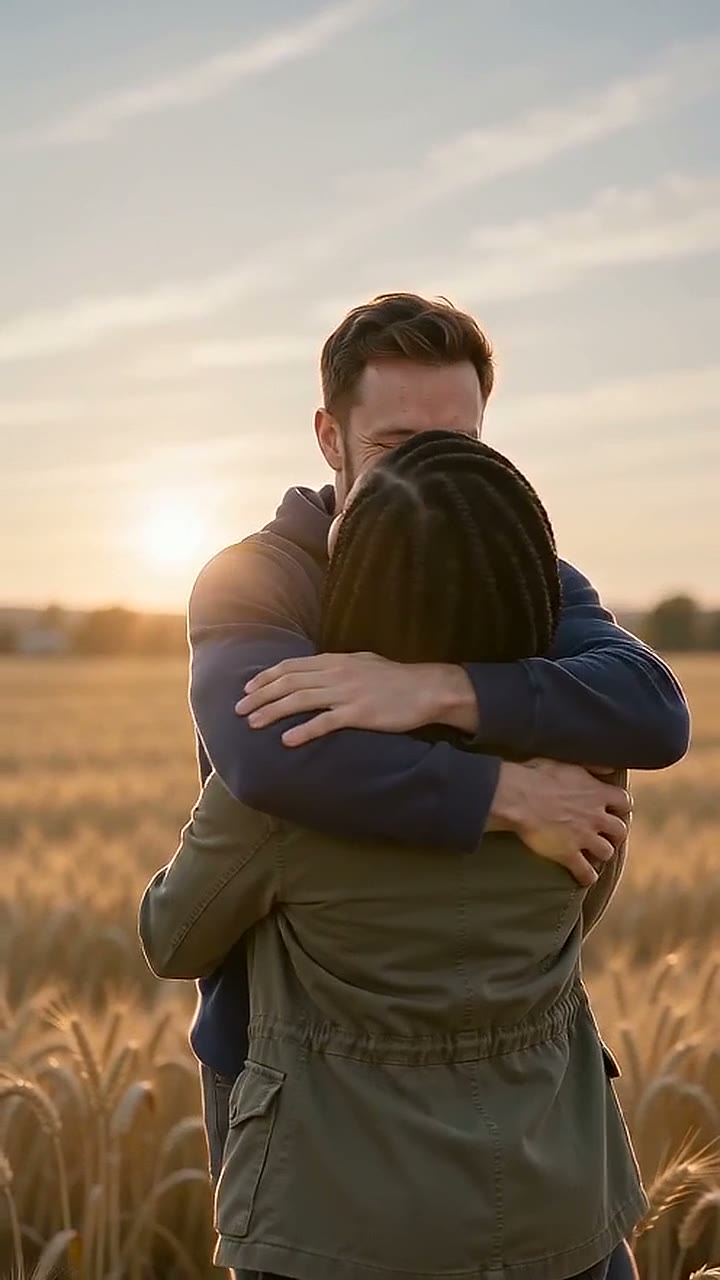
 Turns
Turns Knows them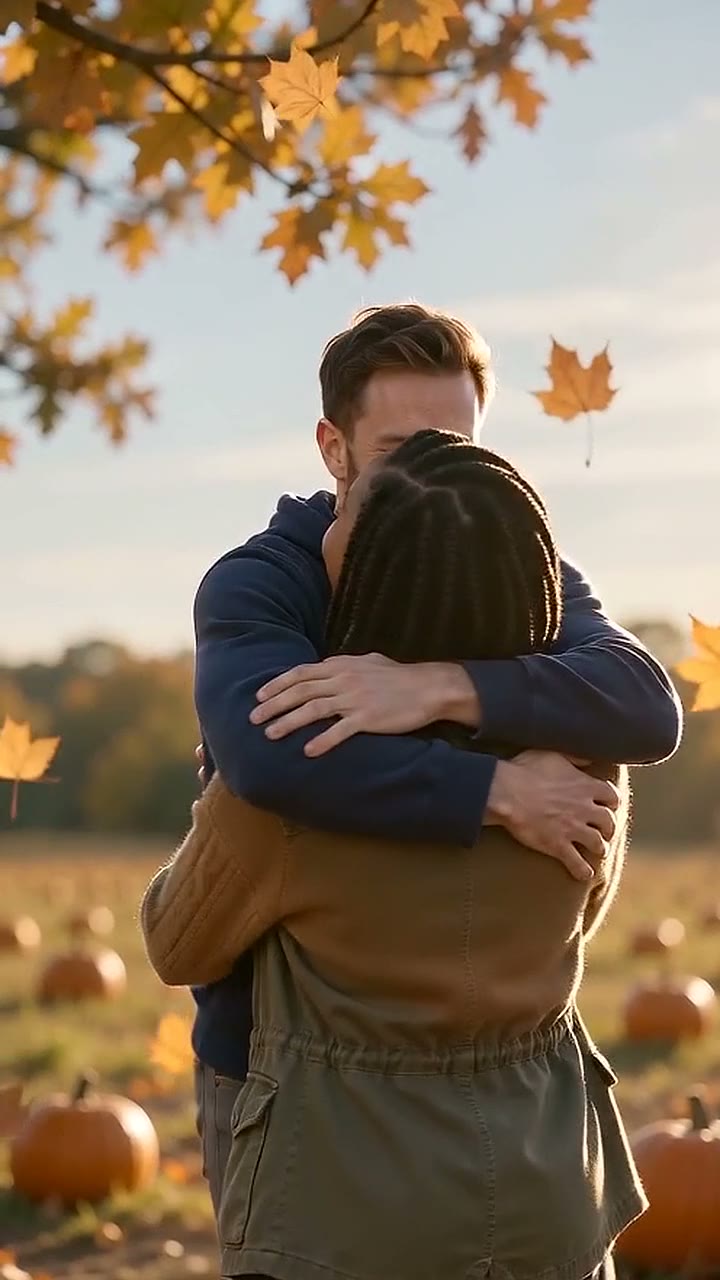
What a match cut is
A match cut joins two different moments with something that stays the same across the cut. It can be the movement, the framing, or the shape on screen. Your eye follows the thing that matches, so the jump in time feels smooth and strong at the same time.
In the zombie trend, the thing that matches is the hug. The cold scene and the warm memory have the same two people in the same pose. Only the time and the light change.
Three ways the zombie match cut is made
| Type | What matches | What it feels like |
|---|---|---|
| Cut on the leap | The movement. One person leaps in the cold scene and lands in the warm one. | Fast. The memory hits mid-air. |
| Cut on the framing | The place and the camera. The same spot, first cold and empty, then warm. | Quiet. Time moves, the place stays. |
| Cut on the hug | The pose. The hug starts cold and ends warm. | Soft. The hug carries across. |
Zombie Hug videos use the first one: a hard cut in mid-air to the same two in a field at sunset. Our prompt asks for the cut at about 9 seconds and a 6-second memory. In our 7 October tests the cut landed between 9.0 and 11.4 seconds.
How to edit a zombie match cut yourself
- Make the cold clip. Lock the camera. One person turns, the other recognizes them, and they move toward each other.
- Make the warm clip with the same camera position and the same two people. Change only the light, the clothes and the place.
- Put both clips in a video editor, cold first.
- Find the frame where the movement peaks: the top of the leap, or the moment arms close in the hug.
- Cut there. Use a hard cut. Do not use a fade or a transition.
- Line up the warm clip so the bodies sit in the same part of the frame.
- Keep the music running across the cut, or put a beat on the cut.
Tips:
- If the faces change between the two clips, the cut breaks. Use the same reference photos for both clips.
- If the camera moves in one clip and not the other, the cut feels like an error. Lock both.
- Use music from the platform's library, so the post does not get a copyright claim.
The full trend guide has prompts for both clips.
Or get it finished from two photos
If you do not want to write prompts and line up frames, Zombie Hug makes the whole video, cut included.
- 1
Upload one photo of each person
One face per photo, clear light.
- 2
Choose who turns and the place
One of 3: ruined street, pumpkin patch or marigold field.
- 3
Pay once
$6.90, or $12.90 for 3, by card. You sign in when you press Make.
- 4
Get the finished video
A 15-second vertical video with the cut already in place, usually in 5 to 10 minutes.
You cannot edit the cut point in our videos. If the result does not work for you, you get 1 free remake within 7 days. The AI models page names the model we use.
Pricing
Packs or a monthly plan. Pack credits never expire. Pricing details
1 video
$6.90
$6.90 per video
One story from two photos. One free remake within 7 days.
3 videos
Save $7.80$12.90
$4.30 per video
Use them with any photos. They do not expire.
10 videos
Save $34.10$34.90
$3.49 per video
Use them with any photos. They do not expire.
Questions
What is the zombie match cut trend?
It is the edit inside the AI zombie love story trend: a hard cut from a cold scene where one person has turned to a warm memory of the same two people, with the hug matching across the cut.
What app do people use for the match cut?
There is no single app. People make the two clips with an AI video model and join them in an editor such as CapCut. Zombie Hug makes the whole video, cut included, from two photos.
Where is the cut in a Zombie Hug video?
In mid-air during the leap. Our prompt asks for the cut at about 9 seconds and a 6-second memory. In our 7 October tests the cut landed between 9.0 and 11.4 seconds, so the warm memory is about the last 3.5 to 6 seconds of the 15-second video.
Can I choose where the cut goes?
No. Every video uses the same timing. You choose who turns and the place.
Why does my own match cut look wrong?
Usually the camera moved, the bodies are in a different part of the frame, or the faces changed between clips. Lock the camera, match the framing, and use the same photos for both clips.
More pages
- The last hug zombie video: they turned, and they still know you
The last hug zombie video is the AI zombie trend where one person has turned and the other still holds them. Make yours from two photos: 15 s, with sound.
- Zombie Love Story Prompt: Copy-Paste AI Prompts and How to Fix Them
Free zombie love story prompts to copy: our tested 15-second prompt, a two-clip version for Kling and CapCut, and fixes for mixed-up people and wrong cuts.
- AI zombie video examples
AI zombie video examples made with Zombie Hug, next to the two photos behind each one. Real 720p outputs, no edits, 15 seconds each.
More templates




Two photos, one 15-second video.
Make 1 video for $6.90