

Zombie Love Story Prompt: Copy-Paste AI Prompts and How to Fix Them
Free, copy-paste prompts for the AI zombie love story: one of you has turned, the other still knows you, and a match cut takes you back to a warm day years earlier. Prompt A is the full prompt we wrote and tested for Zombie Hug. The others are simpler versions for other tools.
Skip the prompts: make ours for $6.90The fastest way: add two photos and get a 15-second video.
Make 1 video for $6.90Last updated: 12 October 2026.
Under the prompts you find what we learned in our tests and how to fix the usual problems. Do not want to write prompts? Skip to the two-photo version.
Before you use a zombie love story prompt
You need three things:
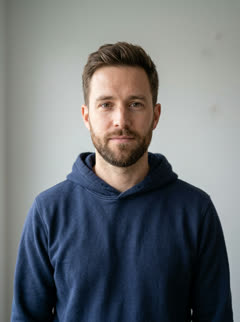
- Two photos. One photo of each person, face clear, good light, from the waist up. Both people are adults and agree to it.
- A video tool that keeps faces from reference photos. People use Seedance-based tools (for example Dreamina), Kling, and other image-to-video apps. Free credits differ from tool to tool.
- An editor, if your tool makes short clips only. People use CapCut or VN to join two clips with a hard cut.
In the prompts, @Image1 is the person who stays human (the SURVIVOR). @Image2 is the person who turns (the LOVED ONE). If your tool names photos in a different way, for example "image 1" or "reference 1", change these two names.
Prompt A: one 15-second clip (the prompt we tested)
For tools that take two reference photos and make 15 seconds in one go, such as Seedance-based tools. The prompt asks for 5 shots, a hard cut in mid-air at about 9 seconds and a 6-second warm memory. In our 7 October tests the cut landed between 9.0 and 11.4 seconds. Tested: Zombie Hug ran this prompt for its greenhouse scene from 7 October 2026. We built it from 8 test clips on Seedance. Results change from tool to tool.
Vertical 9:16 photoreal short film, 15 seconds, 5 shots joined by hard cuts. Cast: @Image1 is the SURVIVOR. @Image2 is the LOVED ONE. Take each person's face, hair, skin tone and build only from their own photo; keep both instantly recognisable in every shot and never swap or blend them. The SURVIVOR always looks like a normal, healthy person.

Shot 1 (0-2 s), handheld medium close-up from the chest up: dusk inside an abandoned glass greenhouse, cracked panes, dead plants, cold blue light; the rifle stays mostly below the frame. The SURVIVOR, in a dusty jacket, holds an old hunting rifle horizontally across the hips with both hands, the barrel pointing down at the ground to one side. It is never held upright, never raised, never pointed at a person or toward the camera. The rifle is an empty prop; it is never raised and never aimed. Eyes wet, breath shaking.

Shot 2 (2-4 s), extreme close-up of the LOVED ONE's face, filling the frame, cold blue light, slow push-in; the LOVED ONE looks at the SURVIVOR. Ash-grey skin, pale milky eyes, faint dark veins at the temples, messy hair, dusty frayed clothes that fully cover the body. The face is clearly the person from @Image2: same face shape, eyes, nose, lips, eyebrows and hairline. The forehead and face have no scratches, no marks and no scars; the grey skin is smooth and clean.

Shot 3 (4-7 s), medium close-up on the SURVIVOR: the lowered rifle trembles; recognition; the SURVIVOR lets the rifle slip from both hands onto the soil and opens both arms. The SURVIVOR closes both eyes and waits with open arms.

Shot 4 (7-9 s), locked-off static camera, wide side view, both people in profile, full body: the LOVED ONE, still with ash-grey skin and pale milky eyes, sprints from the left toward the SURVIVOR and leaps into the air, both arms reaching out for a hug. Hard cut in mid-air at 9 seconds, before they touch.

Shot 5 (9-15 s, a full 6 seconds), match cut on the same leap: the same side view, the same direction, the same framing and the same body size as the last frame of shot 4, years earlier, in a wide golden wheat field at sunset, warm low sun behind them. The LOVED ONE is fully human again, natural skin, bright clear eyes, wearing the outfit from @Image2. The SURVIVOR wears the clean outfit from @Image1. The LOVED ONE lands in the SURVIVOR's arms; the SURVIVOR catches the LOVED ONE and spins once in slow motion while both laugh. The memory has no rifle, no dead plants, no glass, no dust and no torn clothes. Soft golden flare.

Look: 35mm film, cold teal grade in shots 1-4, warm golden grade in shot 5, shallow depth of field. Sound: shots 1-4 wind through broken glass, unsteady breathing, a slow heartbeat, a low rasping groan, no music. At the cut one soft piano note, then a gentle piano melody and quiet laughter. No dialogue, no singing.

The rifle is never fired and never points at a person or at the camera: no muzzle flash, no smoke, no sparks. Faces and skin stay clean. No other people. No text, no captions, no logos, no watermarks.
No-rifle version (not tested by us)
Some tools refuse any prompt with a rifle in it. To use a flashlight instead, make these three changes in Prompt A. We have not run this version of the 15-second prompt, so we cannot tell you how it does.
- Shot 1: replace the rifle sentences with:
The SURVIVOR, in a dusty jacket, holds a heavy metal flashlight low with both hands, the beam pointing down at the ground; the light shakes slightly. - Shot 3: replace the action with:
the beam trembles; recognition; the SURVIVOR lowers the flashlight, lets it drop onto the soil, still switched on, and opens both arms. - Delete the sentence that starts "The rifle is never fired", and change "no rifle" in shot 5 to "no flashlight".
Prompt B, clip 1: the cold world (about 9 seconds)
For tools that make shorter clips, or when Prompt A mixes up the shots: make the cold scene and the memory as two clips, then cut them in an editor. Upload both photos as references. Tested: we wrote this version for this page from Prompt A. We have not run it.
Vertical 9:16 photoreal, about 9 seconds. Reference 1 is the SURVIVOR, reference 2 is the LOVED ONE. Keep both faces exactly as in their own photo; never swap or blend them.
Dusk in an abandoned glass greenhouse, cracked panes, cold blue light.
The SURVIVOR, a normal healthy person in a dusty jacket, holds a heavy flashlight low, beam pointing at the ground, eyes wet.
Close-up: the LOVED ONE steps out of the dark with ash-grey skin, pale milky eyes, faint dark veins at the temples, clean skin with no marks; the face is clearly the person from reference 2.
The SURVIVOR recognizes them, drops the flashlight and opens both arms.
Wide side view, locked-off camera, both in profile: the LOVED ONE runs and leaps toward the SURVIVOR. End the clip in mid-air, before they touch.
35mm film look, cold teal grade. No text, no logos.
Prompt B, clip 2: back to that day (about 6 seconds)
Upload the same two photos.
Vertical 9:16 photoreal, about 6 seconds. Reference 1 is the SURVIVOR, reference 2 is the LOVED ONE, both fully human, natural skin, bright clear eyes, clean everyday clothes. Keep both faces exactly as in their own photo.
Start in mid-air: wide side view, locked-off camera, both in profile, the LOVED ONE leaping from the left into the SURVIVOR's arms.
A wide golden wheat field at sunset, warm low sun behind them. The SURVIVOR catches the LOVED ONE and spins once in slow motion while both laugh. Soft golden flare.
35mm film look, warm golden grade. No text, no logos.
Cut the two clips together
- Put clip 1 and clip 2 on one timeline in CapCut or VN.
- Trim clip 1 so it ends in mid-air.
- Trim the start of clip 2 so the jump is at the same height and on the same side.
- Use a hard cut. Do not add a transition.
- Add music from the platform's library at the cut, so the post does not get a copyright claim.
The zombie match cut page explains the cut in more detail.
Prompt C: start from a still image
For tools that animate one start image only. First make two still images in an image tool (for example Gemini or ChatGPT) from your two photos. Tested: written for this page. We have not run it.
Still 1:
Use the two photos as references. Keep both faces exactly as in their photos.
Vertical 9:16 photo, dusk in an abandoned glass greenhouse, cold blue light. Person 1, a normal healthy person in a dusty jacket, faces person 2 at a few metres. Person 2 has ash-grey skin, pale milky eyes, faint dark veins at the temples, clean skin with no marks, dusty clothes. 35mm film look. No text.

Still 2:
Use the two photos as references. Keep both faces exactly as in their photos.
Vertical 9:16 photo, a golden wheat field at sunset. The same two people, both fully human and smiling, in clean everyday clothes, side view, person 2 jumping into person 1's arms. Warm golden light, 35mm film look. No text.
Prompt C: animate each still
Animate each image in your video tool, then join the two clips with a hard cut, as in Prompt B.
Clip 1 (from still 1):
Person 2 walks slowly toward person 1. Person 1 recognizes them, lowers the flashlight and opens both arms. Locked-off camera. Keep both faces the same.

Clip 2 (from still 2):
Slow motion: person 1 catches person 2 and spins once while both laugh. Warm sunset light. Keep both faces the same.
Change the scene
In Prompt A, change the words in shot 1, shot 3 and shot 5. These are the three scenes we wrote for Prompt A:
| Scene | Shot 1 (the cold world) | Shot 3 (where it lands) | Shot 5 (the memory) | Shot 5 "no …" words | Sound |
|---|---|---|---|---|---|
| Greenhouse | dusk inside an abandoned glass greenhouse, cracked panes, dead plants, cold blue light | the soil | a wide golden wheat field at sunset, warm low sun behind them | no dead plants, no glass | wind through broken glass |
| Carousel | dusk at an empty, abandoned fairground, a dark rusted carousel with faded wooden horses, drifting fog, cold blue light | the wooden platform | a wide golden wheat field at sunset, warm low sun behind them | no carousel, no fog | wind |
| Sunflowers | dusk in a wide field of dead, dry sunflowers, bent brown stalks swaying in the wind, cold blue light | the dry earth | a field of tall blooming sunflowers at sunset, bright yellow flowers, warm low sun behind them | no dead stalks | wind |
What the scenes look like
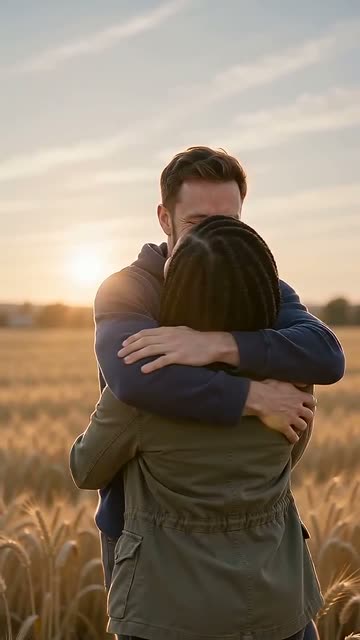
Zombie Hug samples, one per scene.
 Turns
Turns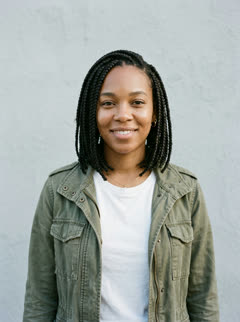 Knows them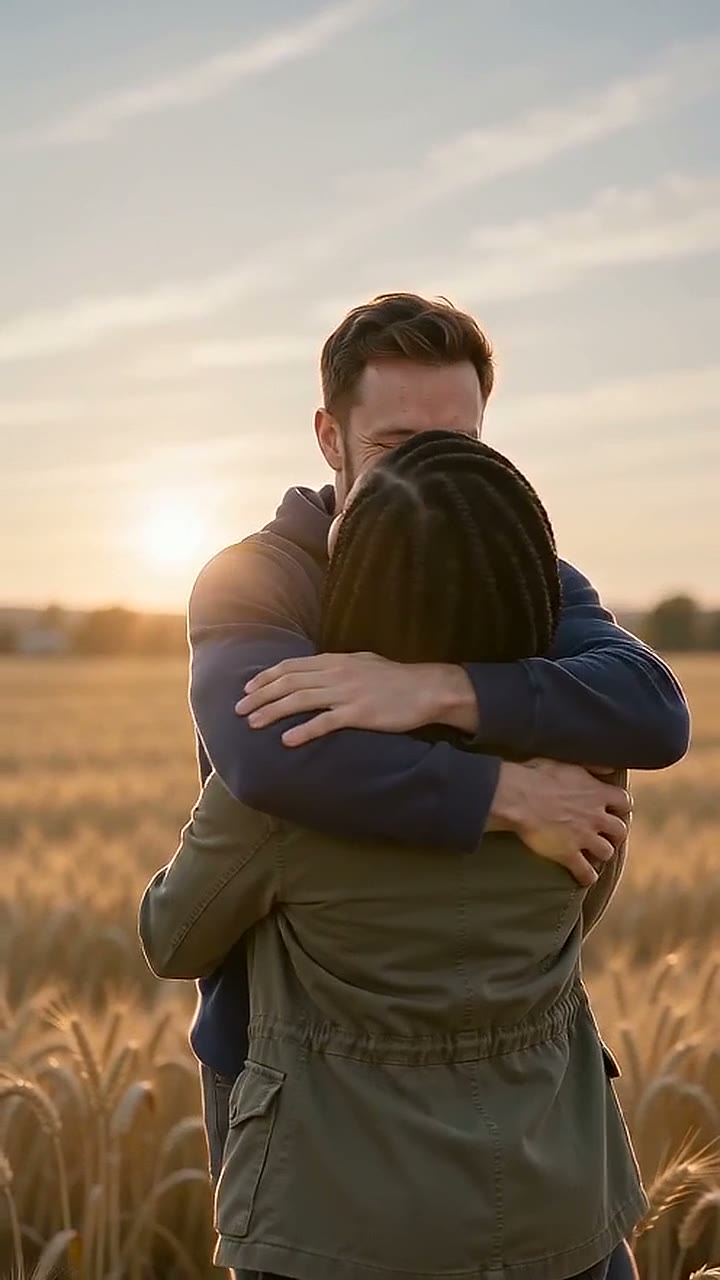
 Turns
Turns Knows them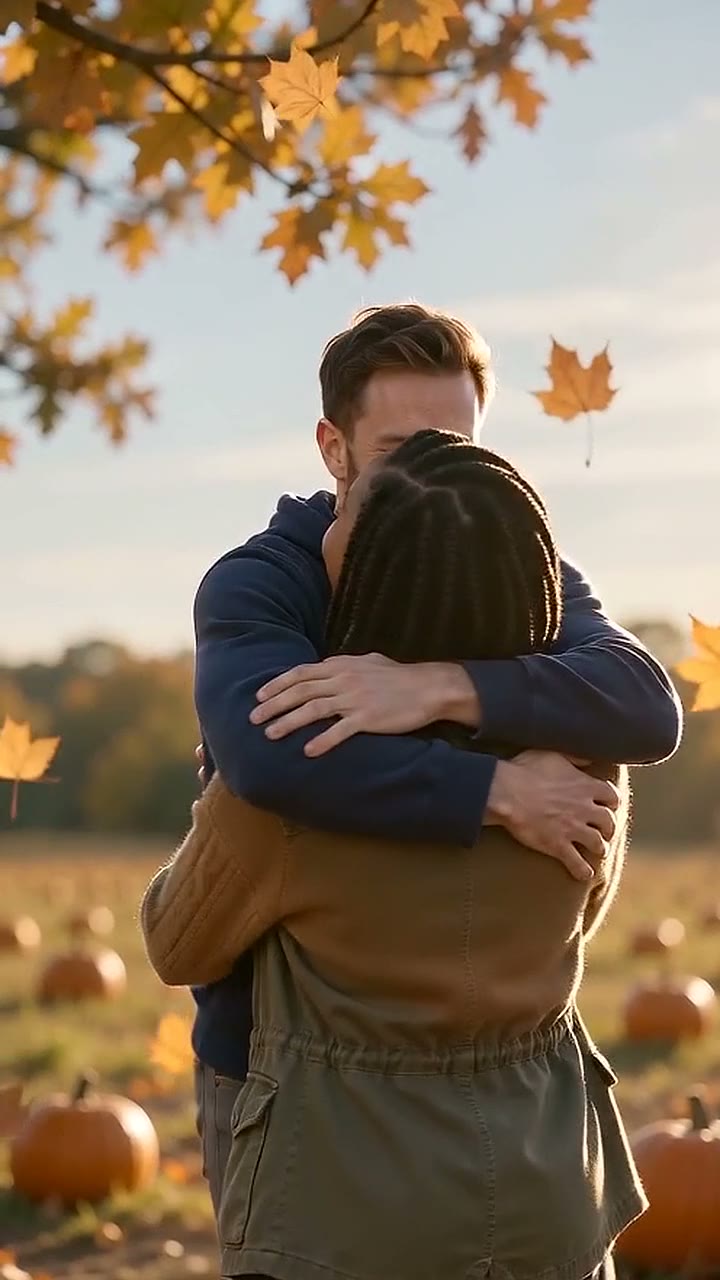
 Turns
Turns Knows them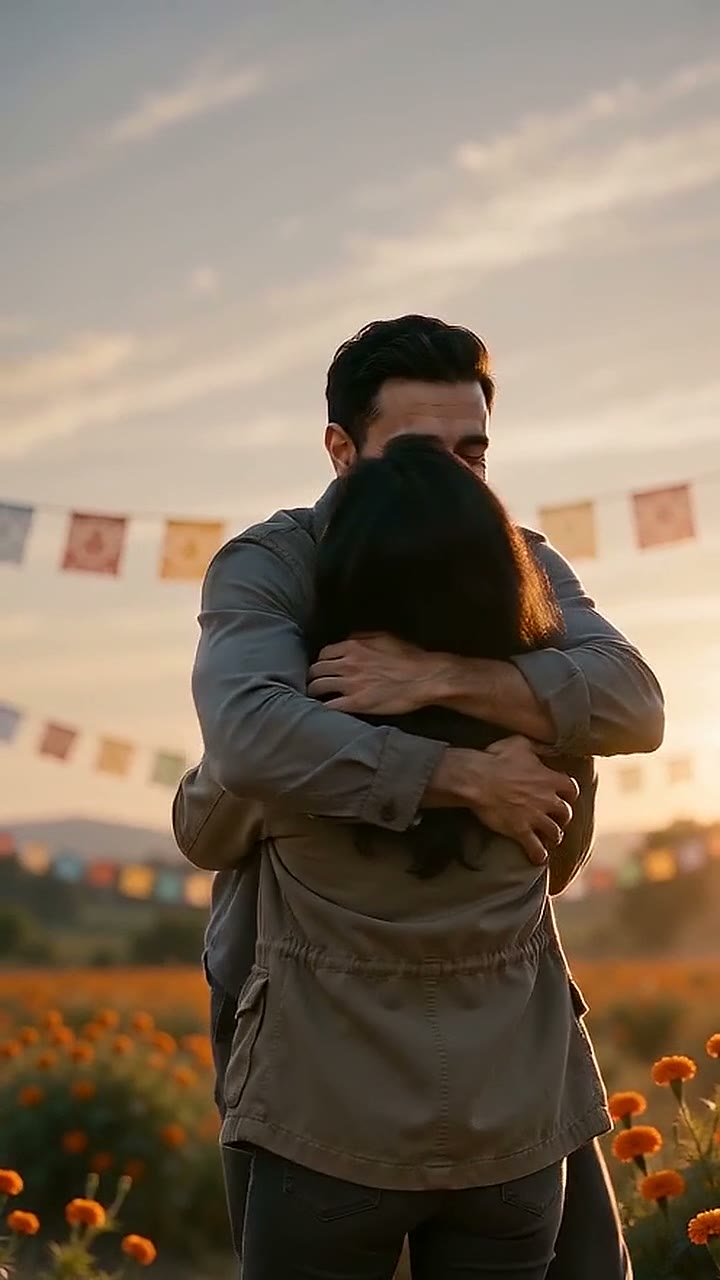
What we learned writing these prompts
On 7 October 2026 we ran 8 test clips of this story on Seedance (15 seconds, 9:16, 720p), in two prompt versions with 4 clips each. Here is what we saw.
- Faces stay right when each face has its own photo. In all 8 clips both people were recognizable and the two people never got mixed up. Every prompt had the line "take each person's face … only from their own photo … never swap or blend them".
- The close-up works. With a 2-second extreme close-up of the person who turns, all 4 clips of the first version showed the turned face clearly.
- Hold the rifle low, in words. When the prompt only said the rifle was lowered, 0 of 4 clips held it across the hips. With "across the hips, barrel down, mostly below the frame", 3 of 4 did.
- Models do not keep your seconds. We wrote a cut at 9 seconds. The cut came between 9.0 and 11.4 seconds, because the model made the first shots longer. In the latest clips the memory was only 3.7 seconds long. Keep the first shots short.
- "Before they touch" did not work. In all 4 clips of the first version, the two already touched at the cut. If the touch matters to you, cut it yourself in an editor (Prompt B).
- Wide shots lose the zombie look. In the wide running shot, 3 of 4 clips showed the turned person with normal skin. Repeat the look in that shot: "still with ash-grey skin and pale milky eyes".
- Close-ups make small lines bigger. "Faint dark veins" came out as crack-like lines on a face that fills the frame. Asking for "no lines, no cracks" did not remove them.
- Some words get a prompt refused, even after "no". Some providers refuse a prompt that names an injury or violence, even in a sentence like "no …". Leave those words out entirely.
Fixes for common problems
| Problem | Fix |
|---|---|
| The two people get mixed up or blend | Keep one person per photo. Add the "never swap or blend them" line. Name the roles (SURVIVOR, LOVED ONE) in every shot. |
| The zombie does not look like the person | Add a close-up of the turned face and the line "the face is clearly the person from @Image2: same face shape, eyes, nose, lips, eyebrows and hairline". |
| The survivor aims the rifle | Hold it across the hips, barrel down, mostly below the frame. Or use the flashlight version. |
| The tool refuses the prompt | Remove every word about injuries or violence, also in "no …" sentences. Try the flashlight version. |
| Marks or dirt appear in the memory | List them in shot 5: "no dust, no torn clothes", plus the objects of the cold scene. |
| Lines or cracks on the turned face | Fine details get bigger in a close-up. Leave out "veins" and similar details. In our tests, "no lines, no cracks" alone did not help. |
| The turned person looks human before the cut | Repeat the look in the running shot: "still with ash-grey skin and pale milky eyes". Use a medium shot, not a very wide one, so the face is bigger. |
| The memory is too short | Models often make the first shots longer than you wrote. Make shots 1 to 3 shorter, or make the memory as a second clip (Prompt B). |
| The memory is in the same place as the cold scene | Name a different place for shot 5 and list the cold-scene objects after "no". |
| The cut does not match | Ask for a locked-off camera, side view, both in profile, and "the same framing and the same body size" in shot 5. If the model fades instead of cutting, join two clips in an editor. |
| Music plays in the cold scene | Models do not always follow the sound lines. Mute the clip and add sound in your editor. |
| The video has text or a logo | End the prompt with "No text, no captions, no logos, no watermarks." |
Skip the prompting: two photos, $6.90
A zombie love story prompt takes tries, credits and editing. Zombie Hug makes the video for you, with your two faces, and sends you the finished file.
- Upload one photo of each person on the home page.
- Choose who turns and a scene: ruined street, pumpkin patch or marigold field.
- Pay once: $6.90 for 1 video, or $12.90 for 3. Sign in with Google or an email code, then pay by card (on Stripe's page, also Apple Pay, Google Pay or Link).
- Get a 15-second vertical 720p video with sound by email. Most are ready in 5 to 10 minutes.
If it does not look like you, you get 1 free remake within 7 days. If a video fails, it costs nothing.
Pricing
Packs or a monthly plan. Pack credits never expire. Pricing details
1 video
$6.90
$6.90 per video
One story from two photos. One free remake within 7 days.
3 videos
Save $7.80$12.90
$4.30 per video
Use them with any photos. They do not expire.
10 videos
Save $34.10$34.90
$3.49 per video
Use them with any photos. They do not expire.
Safety and consent
- Use photos of adults only, and only with their agreement.
- Do not use photos of children or famous people.
- Turn on the AI label when you post. TikTok has an "AI-generated content" setting. Instagram has an "Add AI label" setting.
- Use music from the platform's library.
The Acceptable Use Policy has the full rules.
Questions
What is the best prompt for the zombie love story AI trend?
Prompt A on this page: one 15-second prompt with 5 shots that asks for a hard cut in mid-air at about 9 seconds. It is the prompt we tested most. If your tool makes short clips only, use Prompt B and join the clips in CapCut.
Which AI tool works best for the zombie love story?
Use a tool that keeps two faces from two reference photos. People use Seedance-based tools such as Dreamina, and Kling. We run Seedance by ByteDance. Results change from tool to tool, so try one short clip first.
Can I make it in CapCut?
CapCut is the editor that most people use to join the cold clip and the memory with a hard cut. Make the clips in an AI video tool first, then cut them as in Prompt B.
Why does my prompt get refused?
Some tools refuse prompts with words about injuries or violence, even in a "no …" sentence. Some also refuse a rifle. Remove those words, or use the flashlight version.
How long should the video be?
Most posts are 10 to 15 seconds. Our prompt makes 15 seconds and asks for 9 seconds in the cold world and 6 seconds in the memory. Models often make the cold part a little longer.
Are these prompts free to use?
Yes. Copy them, change them and use them in any tool.
Can I use the prompt without a rifle?
Yes. Use the flashlight changes under Prompt A. We have not tested that 15-second version ourselves.
I do not want to write prompts. What can I do?
Upload two photos to Zombie Hug. We make the video for you and email it to you, most in 5 to 10 minutes. It costs $6.90 for 1 video or $12.90 for 3.
More pages
- Zombie Love Story AI: Your Own Zombie Hug Video from Two Photos
Make the AI zombie love story with your own faces: one of you turns, the other still knows them, then a cut to a warm memory. 15-second video with sound.
- The zombie match cut, explained
What the zombie match cut is, the three ways to make the cut, and how to edit it yourself. Or upload two photos and get the finished 15-second video.
- Halloween Zombie Video: Your Zombie Hug From Two Photos
Two photos in, a Halloween zombie video out: a zombie hug in a pumpkin field, then a mid-air cut to a warm memory. 15 s, with sound.
- The Masked Phone-Call AI Trend: What It Is and How to Make Yours
The 90s phone-call photo with a masked figure in the doorway. What the trend is, free prompts that work, how to animate it, and a zombie video for Halloween.
More templates
Two photos, one 15-second video.
Make 1 video for $6.90