The AI Zombie Love Story Trend: How It Works and How to Make Yours
What the AI zombie love story trend is, how the story goes, and two ways to make yours: with an AI video tool, or from two photos with Zombie Hug.
Last updated: 6 October 2026.
What the AI zombie love story trend is
The AI zombie love story is a short vertical video trend on Instagram Reels, TikTok and YouTube Shorts. One person in a couple has turned into a zombie. The other person holds a weapon, recognizes them and cannot fire. They lower the weapon and hold each other. Many versions then cut to a warm memory of the two of them.
People make these clips with AI video tools from two ordinary photos, one of each person. A common caption is "It doesn't matter what I am, you know who I am."
Where it started
We are not sure. The earliest large post that we found is an Instagram Reel by @damienstraker from 26 September 2026. It uses the caption above and gives the original idea to @techmaf. We could not find the original post by @techmaf. A Russian-language tutorial on Habr from 30 September 2026 already shows a ready template for the trend.
How the versions differ
The guides do not agree on one format:
- Order of the scenes. Most versions end on the hug and the warm memory. One English guide puts the memory in the middle and ends on the lowered gun.
- Length. One guide makes a 12-second clip. Other versions that we saw are longer. We are not sure that there is one standard length.
- Tools. There is no single official app or template. The guides name different AI video models and template apps.
How the Zombie Hug story goes
Every Zombie Hug video tells the same story in four beats, with your two faces. These frames come from a sample video.
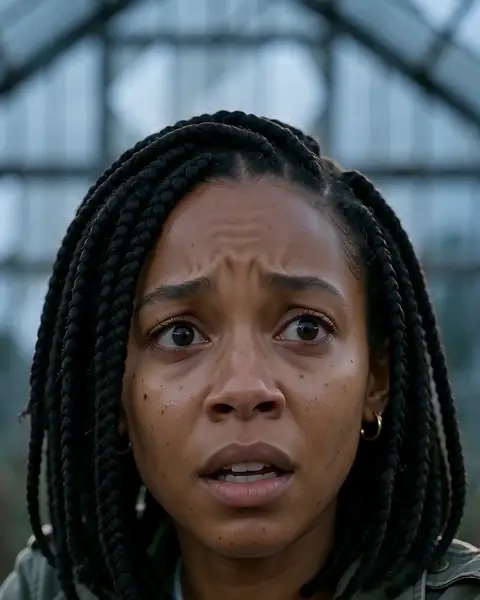
Recognize 0–5 s
One of you steps out of the dark, turned. The other knows that face.
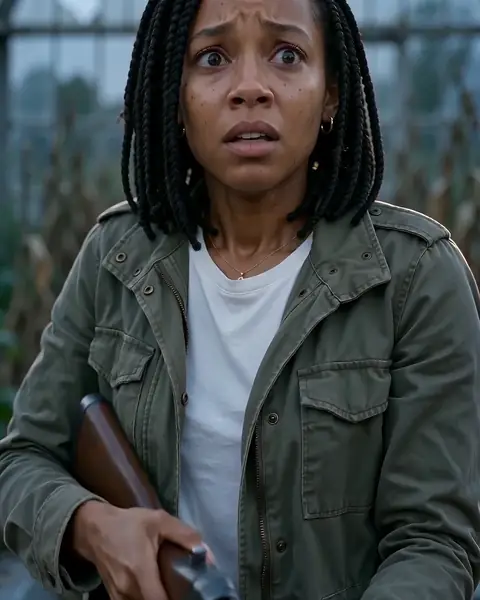
Lower the rifle 5–8 s
The prop rifle comes down and is never fired. Arms open.
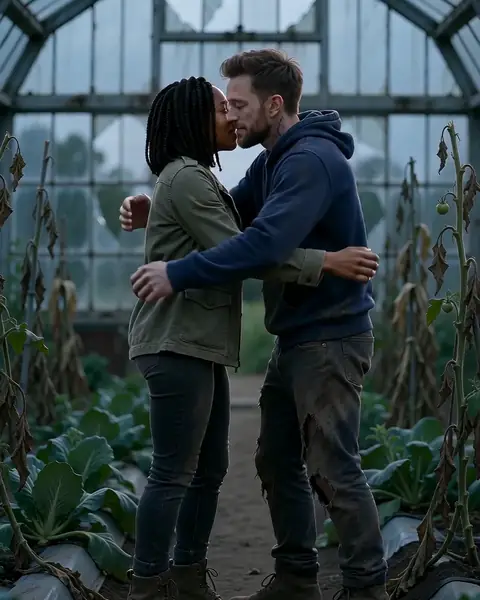
Hold 8–11 s
They run into each other’s arms and hold on.
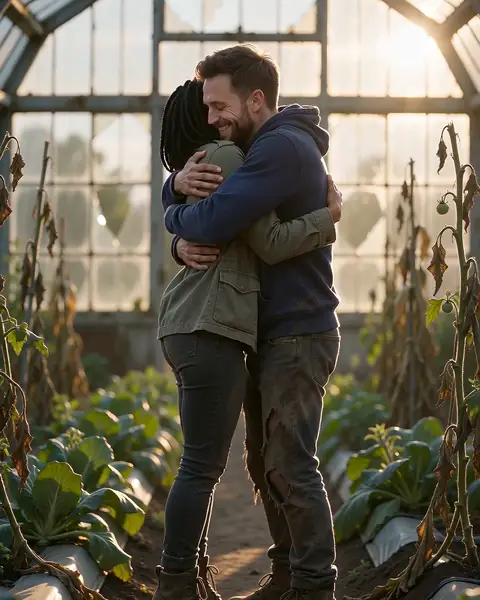
Back to that day 11–15 s
Then the same hug, years earlier, in warm summer sun.
How to make one yourself
You need an AI video tool that keeps two faces from two photos, and a video editor.
- Choose an AI video tool that accepts reference photos. The guides name models such as Kling and Seedance.
- Write the cold scene shot by shot: the zombie comes near, the other person raises the weapon, recognizes them, lowers it, and they hold each other.
- Make the warm memory as a second clip, or in the same prompt if the tool allows it.
- Join the clips in a video editor with a hard cut on the hug. The guides name CapCut and VN.
- Add music from the library of the platform, so that the post does not get a copyright claim.
- Turn on the AI label of the platform when you post. See "Safety and consent" below.
How to make one with Zombie Hug
- Open the home page and upload one photo of each person.
- Choose which person turns into the zombie.
- Confirm that you are both adults and that you both agree. Then pay once. You do not need an account.
- Get a private link by email. Most videos are ready in 5 to 10 minutes.
Yourself or with Zombie Hug
| Make it yourself | With Zombie Hug | |
|---|---|---|
| Time | Not sure. It depends on the tool, the queue and the number of tries. | Upload two photos and pay. Most videos are ready in 5 to 10 minutes. |
| Cost | It depends on the plan or the credits of the tool. Some tools give free credits. | $6.99 for 1 video or $14.99 for 3 videos. One-time payment, no subscription. |
| Skill | You write the prompts, keep both faces the same in each shot, and edit the cut. | No prompt and no editing. You choose who turns. |
| Control | You choose the scene, the length, the format and the music. | One fixed story: 15 seconds, 9:16 vertical, 720p, with sound. You cannot change the scene or write a prompt. |
| If the result is wrong | It depends on the tool. | 1 free remake within 7 days of delivery. A failed video costs nothing. |
Safety and consent
Follow these rules for any AI zombie video. Zombie Hug applies them to every order.
- Use photos of adults only. Both people must be 18 or older.
- Both people must agree to the video before you upload their photos.
- Do not use photos of famous people.
- Do not use photos of children.
- Keep it free of blood, wounds and bites. In the Zombie Hug story, the prop rifle is never fired.
- Say that the video is AI-generated when you post it. TikTok has an "AI-generated content" setting, and Instagram has an "Add AI label" setting. The Zombie Hug result page also marks every video as AI-generated.
The Acceptable Use Policy has the full rules.
Photo tips
- Use one person in each photo.
- Make sure that the face is clear and in good light. Do not use sunglasses, masks or strong filters.
- A photo from the waist up works well.
- Use a photo that looks like the person today.
- Files: JPG, PNG, WebP or HEIC, up to 10 MB. The short side must be at least 300 px.
FAQ
What is the AI zombie love story trend?
It is a short video trend on Instagram Reels, TikTok and YouTube Shorts. One partner has turned into a zombie. The other partner recognizes them, lowers the weapon and holds them. Many versions then cut to a warm memory of the two of them.
Where did the AI zombie trend start?
We are not sure. The earliest large post that we found is an Instagram Reel from 26 September 2026 that gives the original idea to @techmaf. We could not find the original post.
What app is used for the AI zombie trend?
There is no single app. Creators use different AI video models and template apps. Zombie Hug uses Seedance 2.0 Mini by ByteDance. The AI models page has the details.
How much does a Zombie Hug video cost?
$6.99 for 1 video or $14.99 for 3 videos. You pay once. There is no subscription and no account.
Can I use a photo of a celebrity or a child?
No. Use only photos of adults who agree to the video. Do not use photos of famous people or children.
Do I have to say that the video is AI-generated?
Yes. Say that it is AI-generated when you post it, and turn on the AI label of the platform. Do not use the video to deceive people.
Sources
We read these pages on 6 October 2026.
- Instagram Reel by @damienstraker, 26 September 2026: instagram.com/reel/DdwwIyExefk. The caption and the credit to @techmaf.
- Habr, Oplatym blog (in Russian), 30 September 2026: Zombie trend AI tutorial. The three scenes, the ready template, and the platforms Reels, TikTok and Shorts.
- Kavel AI blog, 4 October 2026: Zombie AI Trend: The Couple Video Prompt and How to Make It. A 12-second version with the memory in the middle, and the editors CapCut and VN.
Make your own AI zombie love story
Upload one photo of each person. Most videos are ready in 5 to 10 minutes.
Make my video for $6.99