Clown Makeup AI: Turn One Photo Into 4 Clown Looks
Upload one clear photo of an adult to get four clown makeup looks: classic circus face paint, a creepy style, cute pastel diamonds, and party face paint.
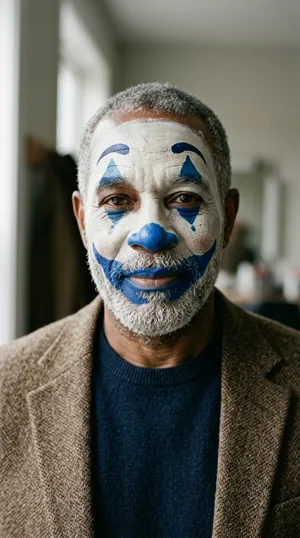 Classic
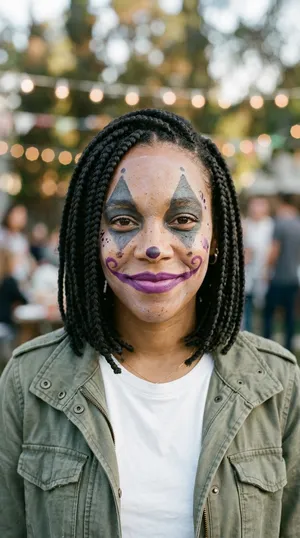 Creepy
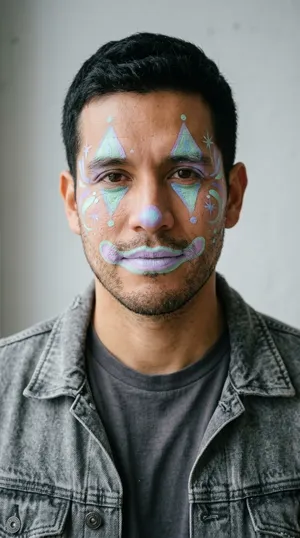 Pastel
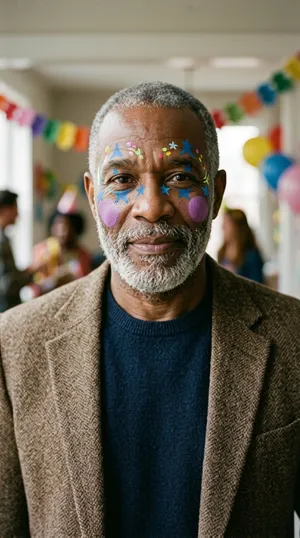 Party
PartyLoading priceOne photo set
1K JPG images. Private delivery and a download for each scene.
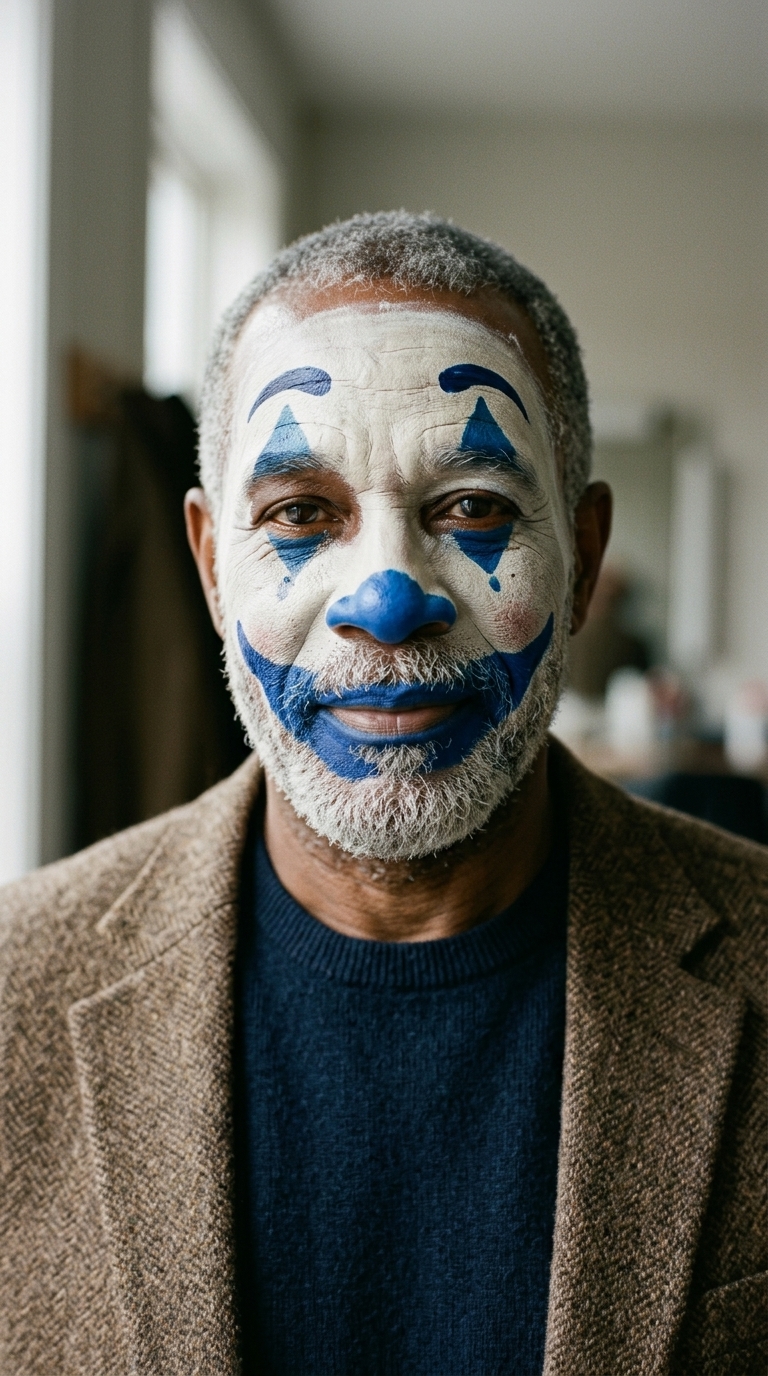
One photo, four clown styles. Choose vertical, square or wide.
Make 4 imagesLoading priceThe short answer
Zombie Hug (aizombietrend.com) makes clown makeup photos from one photo: upload one clear adult portrait and choose your shape to receive 4 distinct looks in 1K for $3.90. Your images arrive in a few minutes via a private email link. Any failed image retries once or refunds within 14 days. Photos are deleted 7 days after delivery.
See four clown makeup looks
The people in these samples are AI-generated. Each paid set includes all four looks in your chosen shape.
 Input photo → look
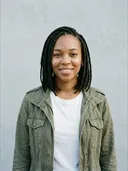 Input photo → look
 Input photo → lookInput photo → look
How to get your clown makeup photos
- 1
Upload and choose a shape
Add one clear solo photo of an adult and select vertical (9:16), square (1:1), or wide (16:9).
- 2
Check out and pay
Press Make, check out with your email address, and pay $3.90 for your four-image set.
- 3
Download your four looks
Open your private order link to inspect your portraits as they complete and download each high-resolution JPG.
Clown makeup tutorial: step-by-step face paint
Recreating a classic clown look at home takes basic face paint products and clean brushwork. Prepare your station with water-activated face paint, setting powder, makeup sponges, and fine detail brushes.
- Base: Dampen a makeup sponge and pat white face paint evenly over clean skin, avoiding heavy layers around expression lines.
- Set: Dust translucent setting powder gently across the white base so it stays in place without smearing.
- Eyes: Use a thin brush to paint elongated diamond or triangle shapes above and below each eye in vivid blue or black.
- Nose and smile: Paint a neat circle on the tip of the nose, then outline high smile lines extending from the mouth corners outward toward the cheeks.
- Accents: Fill the lips with deep red or purple, and add small highlight dots on the cheeks for contrast.
Scary clown makeup vs easy cute clown makeup
Clown face paint spans a broad spectrum from eerie carnival figures to playful party characters:
- Scary clown makeup: Focuses on high-contrast drama. A chalky pale base, hollow grey triangle eyes, dark plum lips, and sharp arched brow markings create a shadowy, moody presence without needing liquid effects or fake wounds. Pair it with a ruffled vintage collar, dark suspenders, or a worn coat.
- Easy cute clown makeup: Softens the palette with pastel tones. Mint and lilac diamond eye accents, soft blush circles, and glossy pastel lips deliver a cute, friendly vibe that works well for daytime parties and family gatherings. Pair it with bright cardigans or oversized denim jackets.
If you want an alternative bone-white aesthetic, explore our skeleton makeup photo set for hollow skull contours.
AI clown filter: test your look on your photo
An AI clown filter lets you compare different artistic styles on your actual face before committing to paint and powder. Uploading your portrait generates four distinct interpretations so you can decide whether a dramatic creepy look or a cheerful pastel design fits you best.
For optimal generation results, choose a well-lit solo photo taken from the front. Make sure hair stays clear of your forehead and cheeks, and avoid sunglasses or heavy beauty filters. Want a square avatar? Pick 1:1 before you order, or make a square set with our Halloween profile picture maker.
Pennywise and Joker makeup ideas
Every Halloween, many people search for Pennywise makeup and Joker makeup when they plan a clown costume. Zombie Hug does not offer those characters. Our four looks are original, generic clown styles.
Our styles draw from historic circus traditions, pantomime aesthetics, and modern pastel trends. They offer a versatile way to test face paint ideas on your own portrait. If you are preparing a duo costume or prefer animated partner stories, you can also view our Halloween zombie video.
Upload one photo and download four custom clown looks for $3.90.
Make 4 imagesLoading priceQuestions
How does the AI clown makeup photo set work?
Upload one clear photo of an adult, choose a format, and check out with your email. We generate 4 distinct clown portraits in 1K JPG without watermarks, sent to your private link.
How much does the clown makeup photo set cost?
$3.90 buys all 4 portraits in your chosen shape. It is a one-time purchase; video credits cannot pay for it.
How long until my clown makeup photos are ready?
Your photos are ready in a few minutes. Each look generates individually, so images appear on your private order link as they finish.
What happens if a photo fails? Can I get a refund?
Each failed image retries once automatically. If an image still fails, email support from your checkout address within 14 days to receive a refund for the failed image.
What happens to my uploaded photo? Is it private?
Your photo is kept private and used only to create your portraits. Unpaid uploads are cleared after 7 days, paid input photos are deleted 7 days after delivery, and generated results remain accessible for 30 days.
What can't the clown makeup tool do?
It cannot create videos, process group photos, accept minors or pets, run custom text prompts, or function as a live webcam filter. It only produces 4 still JPG portraits (1K) in generic clown styles from one adult photo.
Is this official Pennywise or Joker makeup?
No. This tool is completely unofficial and is not affiliated with, sponsored by, or endorsed by the rights holders of those films or characters. Our looks are original generic clown styles designed for Halloween inspiration.
Is there an easy clown makeup look that is not scary?
Yes. The Pastel style offers a cheerful, not-scary option featuring mint and lilac diamond eye shapes with soft lips, perfect for friendly parties.
Can I use this as an AI clown filter on my phone?
Yes, in the browser. You upload a still selfie on your phone or computer to generate four downloadable portraits. It does not provide a live camera lens or mobile app.
More pages
- Halloween PFP: Create Your Halloween Profile Picture
Make your Halloween PFP from one photo: get 4 square 1:1 AI portraits for $3.90. Scary or cute looks for Instagram, TikTok and Discord.
- Skeleton Makeup AI: Turn One Photo Into 4 Skull Looks
Skeleton makeup from one photo: turn your photo into 4 skull looks for $3.90. Download vertical, square or wide JPGs with no watermark.
- AI Zombie Filter: Turn One Photo Into Zombie Makeup
AI zombie filter: turn one photo into 4 looks for $3.90. Pick vertical, square or wide and download your private zombie makeup AI photo set.
- Halloween Zombie Video: Turn 2 Photos Into a Zombie Hug
Two photos in, a Halloween zombie video out: a zombie hug in a pumpkin field, then a mid-air cut to a warm memory. 15 s, with sound.
- Vampire Makeup Tutorial: Turn One Photo Into 4 Vampire Looks
Vampire makeup tutorial: turn one photo into 4 vampire looks for $3.90. Download vertical, square or wide JPGs with no watermark.